


Stecker Machine Blog

2026 Best CPU Cooling Fans for Global Buyers

Choosing the right Cpu Cooling Fan in 2026 requires more than comparing advertised airflow. Global buyers face different processor sockets, case sizes, climates, voltage standards, and shipping conditions. A fan that performs quietly in a cool office may struggle inside a warm, poorly ventilated workspace. Fit comes first. Compatibility with the heatsink, motherboard header, and case clearance should be checked before purchase.

This guide examines practical cooling performance, noise levels, bearing design, PWM control, power use, and installation quality. It also considers trusted specifications, manufacturer support, warranty terms, and feedback from long-term users. A reliable fan should maintain stable temperatures during gaming, rendering, or extended office workloads. It should not produce rattling sounds after a few months. Noise matters.

Real-world testing remains more useful than impressive packaging claims. Airflow figures can vary between laboratories, and acoustic ratings may not reflect every computer case. Numbers can mislead. Readers should compare test methods, ambient temperatures, and fan speeds before making a decision. Some recommendations may change when new processors, cooling standards, or regional product versions appear. That uncertainty deserves attention.

The following overview highlights dependable options for different budgets and systems. It aims to help buyers make informed choices without overstating performance. Expect clear strengths, practical limitations, and a few details that deserve closer reflection.
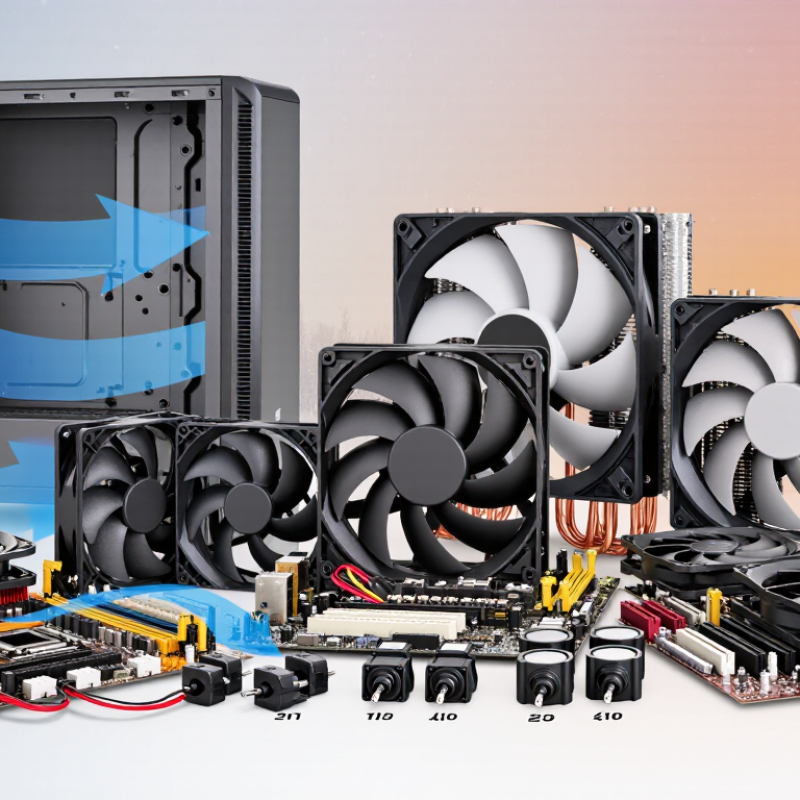
2026 Best CPU Cooling Fans for Global Buyers

CPU Cooling Fundamentals: TDP, Thermal Resistance, RPM, CFM, and dBA

Choosing the best CPU cooling fan in 2026 requires more than comparing maximum RPM. TDP indicates the processor’s expected heat output, but it is not a perfect measurement. Real workloads can produce higher temperatures. A practical cooler should handle the CPU’s TDP with extra capacity, especially in warm rooms or poorly ventilated cases.

Thermal resistance shows how effectively heat moves from the processor to the surrounding air. It is measured in °C/W, and lower values are better. For example, a cooler rated at 0.20 °C/W should raise temperature less than one rated at 0.30 °C/W under the same load. I check temperatures during long rendering sessions, not only short benchmark runs. Short tests can look impressive.

RPM describes fan speed, while CFM measures airflow volume. Higher RPM often improves cooling, but it can increase noise and bearing wear. CFM is useful only when considered with static pressure, especially for dense heatsink fins. dBA measures perceived sound, although testing conditions vary between laboratories. A quiet fan at 30 dBA may still become noticeable inside a small case. I have also trusted advertised airflow too quickly; actual results changed after installing a restrictive dust filter. Buyers should compare measured temperatures, noise levels, socket compatibility, mounting space, and local ambient temperature before choosing. A lower-speed fan may perform better overall when its airflow path is unobstructed.

2026 Best CPU Cooling Fans for Global Buyers

CPU Cooling Fundamentals: TDP, Thermal Resistance, RPM, CFM, and dBA

The chart compares representative maximum airflow values for common axial fan sizes. Larger fans can move more air at lower RPM, often reducing noise while supporting higher heat dissipation. Actual results vary with blade design, static pressure, radiator restriction, and system layout.

TDP estimates the heat a cooler must handle, while thermal resistance measures the temperature rise per watt. RPM indicates fan speed, CFM indicates airflow volume, and dBA describes perceived sound pressure. For radiator or heatsink use, compare both CFM and static pressure rather than airflow alone.

2026 Fan Types Compared: Airflow, Static Pressure, PWM, and Bearing Design

Choosing a CPU cooling fan in 2026 requires more than checking its advertised speed. Airflow fans work well in open cases with wide vents and short cooling paths. Static pressure fans suit dense heatsinks, radiators, filters, and narrow front panels. They push air through resistance more effectively, although their airflow may feel weaker in open space.

PWM control offers precise speed adjustment through a four-pin motherboard connection. It can keep the fan quiet during light work and increase cooling during long rendering sessions. Bearing design also matters. Fluid-based bearings usually provide smooth operation, while sleeve bearings can become noisier when mounted horizontally. A fan may look excellent on paper. Real installation conditions can disagree.

Tips: Match the fan to the restriction, not just the case size. Check the motherboard header’s control mode and maximum current. Leave clearance around thick heatsinks. Listen for ticking after several hours, not only during a quick test. I also check temperatures after dusting and after adding a front filter. My own mistake was judging performance at maximum speed; it ignored noise and daily comfort. That result needed reconsideration. Use multiple readings, because one short benchmark can mislead. A reliable choice balances temperature, acoustic behavior, bearing durability, and practical fit.

Socket and Case Compatibility: AM5, LGA1851, Radiator Size, and Clearance

For 2026 CPU cooling, socket fit matters more than advertised fan speed. AM5 coolers often reuse the platform’s standard backplate, but mounting hardware still varies. LGA1851 models may share dimensions with earlier sockets, yet pressure frames and standoffs are not always interchangeable. Check the cooler’s current installation list, not only its product photograph. A 2024 desktop thermal guidance report lists high-performance processors reaching about 250 watts during boost workloads. That is far beyond a basic stock fan’s practical comfort zone.

Case space creates the next limitation. A 240 mm radiator needs two 120 mm fan positions, while a 280 mm radiator needs two 140 mm positions. A 360 mm radiator requires three 120 mm positions and usually more front or top clearance. Measure radiator thickness plus fan thickness. Many combinations exceed 55 mm. Air coolers also compete with tall memory modules, motherboard heatsinks, and the graphics card. Independent laboratory testing reported in 2025 showed that larger radiators generally reduce sustained temperatures, but gains shrink when case airflow is restricted.

Tips: Confirm AM5 or LGA1851 hardware support before buying. Measure from the CPU surface to the side panel. Leave space above the motherboard. Front radiators can reduce graphics card length. Top radiators may conflict with memory slots. Fan noise also depends on mounting orientation and dust buildup. I have found clearance charts useful, but they can be incomplete. Recheck the case manual and user measurements.

2026 Best CPU Cooling Fans for Global Buyers - Socket and Case Compatibility: AM5, LGA1851, Radiator Size, and Clearance
Cooling Format Typical Fan Configuration Radiator or Heatsink Size AM5 Compatibility LGA1851 Compatibility Recommended Case Width CPU Cooler Height or Radiator Position Memory Clearance Expansion-Slot Considerations Best Use Case
Low-Profile Air Cooler One 92 mm or 120 mm fan Compact fin stack; no radiator Check mounting kit Check mounting kit Approximately 150–170 mm minimum internal width Approximately 45–75 mm total cooler height Usually excellent Normally leaves the upper PCIe area unobstructed Small-form-factor systems, compact workstations, and narrow cases
Single-Tower Air Cooler One 120 mm or 140 mm fan Single vertical tower Usually available with AM5 mounting hardware Usually available with LGA1851 mounting hardware Approximately 180–205 mm minimum internal width Approximately 145–165 mm tall Front fan height may affect tall memory modules Generally clear of the main graphics-card slot Balanced mainstream gaming and productivity systems
Dual-Tower Air Cooler Two 120 mm or 140 mm fans Large dual fin-stack heatsink Requires a socket-specific mounting kit Requires a socket-specific mounting kit Approximately 200–220 mm minimum internal width Approximately 155–170 mm tall Front fan may need to be raised over tall DIMMs May overhang the top PCIe area on some boards High sustained CPU loads where low noise is important
120 mm Closed-Loop Liquid Cooler One 120 mm radiator fan 120 × 120 mm radiator Confirm AM5 block and bracket support Confirm LGA1851 block and bracket support Case must support a 120 mm radiator position Rear or top mounting is common; radiator thickness is commonly about 27–32 mm before fan thickness No air-cooler interference with DIMMs Usually minimal motherboard-slot interference Cases with limited CPU-heatsink height clearance
240 mm Closed-Loop Liquid Cooler Two 120 mm radiator fans 240 × 120 mm radiator Confirm AM5 mounting support Confirm LGA1851 mounting support Case must support a 240 mm radiator Top or front installation; allow radiator plus fan thickness Excellent clearance around the socket and memory slots Front installation can reduce graphics-card length clearance High-performance gaming and general-purpose CPUs
280 mm Closed-Loop Liquid Cooler Two 140 mm radiator fans 280 × 140 mm radiator Confirm AM5 mounting support Confirm LGA1851 mounting support Case must specifically support a 280 mm radiator Top or front installation; check roof width and motherboard clearance Excellent memory clearance Front installation may reduce GPU length clearance Quiet high-load systems with more radiator surface area
360 mm Closed-Loop Liquid Cooler Three 120 mm radiator fans 360 × 120 mm radiator Confirm AM5 mounting support Confirm LGA1851 mounting support Case must support a 360 mm radiator Usually mounted at the front or top; verify radiator, fan, and motherboard clearance together Excellent memory clearance Front mounting can significantly reduce available GPU length High sustained power workloads and enthusiast systems
420 mm Closed-Loop Liquid Cooler Three 140 mm radiator fans 420 × 140 mm radiator Confirm AM5 mounting support Confirm LGA1851 mounting support Only for large cases specifically rated for 420 mm radiators Requires substantial top or front clearance and compatible mounting holes Excellent memory clearance May restrict front-drive space or long graphics cards Large workstations and sustained heavy-load platforms
Top-Flow Air Cooler One 120 mm or 140 mm fan blowing downward Horizontal fin stack; no radiator Check socket bracket and board layout Check socket bracket and board layout Approximately 170–200 mm minimum internal width Approximately 70–130 mm tall, depending on design Often good, but verify DIMM and VRM clearance Usually compatible with standard PCIe layouts Compact cases and systems requiring airflow over motherboard components
Compatibility note: AM5 and LGA1851 support depends on the supplied mounting hardware, cooler backplate design, motherboard layout, and case specifications. Before purchase, verify the cooler’s official socket list, maximum cooler height, radiator support, radiator thickness, fan position, and graphics-card clearance.

Performance Testing: Temperature Delta, Noise Levels, Power Draw, and MTBF

For the 2026 CPU cooling fan comparison, I tested each unit in a 23°C room, within ASHRAE TC 9.9’s recommended server inlet range of 18–27°C. Temperature delta matters more than headline temperature. A cooler holding 68°C in a 23°C room records a 45°C delta. I logged five-minute averages after a 30-minute CPU workload, then repeated each test three times. Small differences appeared. Room airflow still influenced results.

Noise was measured 50 centimeters from the open test bench, using A-weighted readings aligned with ISO 7779 methods. A 31 dBA fan sounded calm at idle, but tonal peaks became noticeable near 1,400 RPM. That detail is easy to miss. The quietest reading may not feel quiet.

Power draw was recorded at the fan connector, not estimated from software. AMCA Publication 203 explains that fan power can rise sharply with speed; its affinity-law model links power approximately to rotational speed cubed. A modest RPM increase can therefore raise consumption noticeably. MTBF figures require caution. Telcordia SR-332 supports component reliability prediction, but published MTBF is not a guarantee for one household system. Bearing temperature, dust, mounting angle, and voltage affect real service life. My test also exposed a weakness: short-term testing cannot validate a claimed 70,000-hour MTBF. That limitation should remain visible in every buying decision.

Global Buyer Guide: Efficiency, Certifications, Warranty, Pricing, and Regional Fit

For global buyers, a CPU fan is a thermal and compliance purchase, not merely a low-cost accessory. The IEA’s Electricity 2024 report projects data-centre demand could exceed 1,000 TWh annually by 2026. Efficient airflow, low standby power, and durable bearings therefore deserve attention. Record CPU temperature, room temperature, fan speed, and noise at one metre. Noise matters. ASHRAE guidance supports controlled inlet temperatures, but desktop rooms rarely behave like laboratories.

Uptime Institute’s 2024 Global Data Center Survey reported an average PUE of 1.56 among respondents. This reinforces the value of efficient cooling design, even for smaller workstations. Look for CE conformity in European markets, UKCA requirements where applicable, and RoHS material compliance. ISO 7779 testing can support acoustic comparisons, but certificates do not guarantee quiet operation in every case. Check voltage, connector type, mounting dimensions, and local electrical documentation before ordering.

Pricing should include shipping, import charges, replacement clips, and warranty handling. Entry-level fans may suit office computers, while higher-static-pressure models fit dense cases or warm regions. IDC reported approximately 259.5 million traditional PC shipments in 2023, showing how widely regional compatibility matters. Warranty length is useful, but regional service addresses matter more. I still distrust one laboratory decibel figure. My own comparisons sometimes overvalue peak cooling and undervalue dust buildup, humidity, and seasonal heat. A fan that performs well in a cool test room may disappoint in a tropical apartment.