
Choosing a Managed Network Switch is not just a matter of counting ports. The right model must fit your network today and leave room for growth. A small office may need reliable VLAN separation, while a busy warehouse may depend on PoE for access points and cameras. The details matter. You should also consider port speed, uplink options, management tools, security features, and support life. A low purchase price can hide added costs, such as licensing or difficult maintenance.
Networking scholar Andrew S. Tanenbaum once observed, “The nice thing about standards is that you have so many to choose from.” His remark highlights a real challenge: features and terminology can vary across vendors. This guide explains how to compare switch capacity, Layer 2 and Layer 3 functions, PoE budgets, redundancy, and management interfaces. It also considers compatibility with existing equipment and the practical needs of the people who will maintain the network. A specification sheet rarely reveals every operational headache. I have seen buyers focus on maximum throughput, then overlook noisy fans, awkward configuration, or limited support. Those oversights are easy to make. By weighing performance against usability, security, reliability, and total cost, you can choose a Managed Network Switch that suits your environment—not merely the most impressive product on paper.
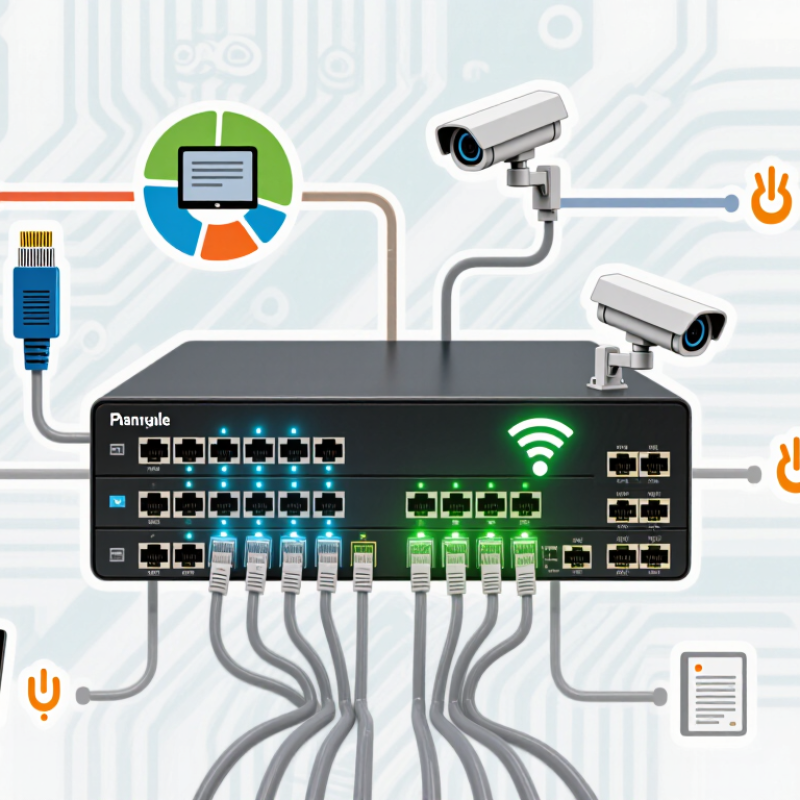
Before choosing a managed network switch, define what it must connect and support. Count wired devices in each area, including computers, access points, cameras, and phones. Then estimate peak traffic, not just average use. Ericsson’s November 2024 Mobility Report recorded 21% year-on-year growth in mobile data traffic during Q3 2024. That figure is not a wired-network forecast, but it signals why capacity plans should allow room for changing usage. Your first estimate may be imperfect. That is normal.
Match switch features to the actual workload. Check port count, uplink speed, VLAN needs, and PoE budgets; an access point may need more power than a desk phone. For video-heavy offices, slow uplinks can create bottlenecks even when every device has a port. Consider whether a single switch failure would interrupt essential work, and whether monitoring or redundancy is worth the added cost. A common planning mistake is buying for today’s device count without documenting expected growth.
Tips: Walk the site and label device locations before comparing models. Record each device’s port and power needs. Leave spare capacity, but avoid paying for features nobody will use. Revisit the plan after a pilot; real traffic often exposes assumptions the spreadsheet missed.
A managed network switch should match the devices you have and the growth you can reasonably expect. Count computers, access points, cameras, printers, and other wired equipment, then leave several ports unused.
For example, an office with 18 active connections may need a 24-port switch, but ceiling-mounted access points or planned cameras can quickly use that spare capacity. A little headroom helps. Still, buying far more ports than you need can waste budget and rack space.
Match port speed to actual traffic, not just the largest number on a product sheet. Gigabit Ethernet is often sufficient for standard office devices, while workstations moving large files may benefit from faster connections. Check network cards, cabling, and connected equipment; one slower link can limit the whole path. Faster is not always better.
Uplink capacity matters too. If many access ports send traffic to a server or another switch, a single low-speed uplink may become a bottleneck. Compare the combined traffic likely to cross that link, and check whether the switch supports the required number and type of uplinks.
Distance matters: copper is practical for short runs, while longer connections may need fiber.
I have seen port counts planned neatly on paper, then fall short once real devices are installed. Recheck the layout before ordering.
A managed network switch is worth choosing by the controls you will actually use, not by the longest feature list. For a small office with guest Wi-Fi, staff computers, and a printer, clear management tools can save time when something stops connecting. Look for a readable dashboard, remote access, configuration backups, and alerts for failed links or unusual traffic. Simple matters. If routine changes require command-line expertise, the switch may be harder to maintain than expected.
VLAN support lets you separate traffic without installing separate physical networks. You might place guest devices on one VLAN and office equipment on another, then control which groups can communicate. Check that the switch supports VLAN tagging and enough VLANs for your planned layout. Also confirm that its management software makes assignments easy to review. A VLAN alone is not a security boundary; routing rules must restrict traffic between segments. That detail is easy to overlook.
Security options deserve the same scrutiny. Look for access controls such as role-based administrator accounts, secure management protocols, and port-based authentication. Features that limit unknown devices or disable unused ports can reduce everyday exposure. Check whether logs show who changed settings and when; troubleshooting is harder without that record. Feature lists can tempt buyers to over-specify. I would compare each control with a real task, then check whether staff can configure and maintain it reliably.
A managed switch should match the devices it will power, not just the port count on its box. IEEE 802.3bt allows up to 90 watts from a power-sourcing port, with up to 71.3 watts reaching the device. Check the total PoE budget, too: several cameras or access points starting together can exceed it. Leave headroom. Confirm supported Ethernet speeds, VLAN features, and uplink types against your existing cabling and equipment.
Reliability depends on more than a rugged case. Look for dual power inputs or replaceable power supplies where downtime matters, plus clear alerts, configuration backups, and firmware support. Uptime Institute’s 2024 outage analysis reported that 54% of respondents’ most recent significant outages cost more than $100,000. That figure covers data-center outages broadly, not switch failures alone, but it shows why recovery planning matters. Still, a specification sheet cannot reveal every heat or workload issue. Test in the expected rack conditions.
Tips: Compare the switch’s PoE budget with the devices’ peak draw, not their typical draw. Verify that management protocols and security settings fit your network. Test one unit before rollout. Small details matter. A mismatched uplink can bottleneck a fast access layer.
A managed switch should fit the network you have today without forcing an expensive replacement too soon. Start by counting the devices that need wired connections, including access points, cameras, phones, and printers. A small office with 18 active devices may need more than 18 ports; a few spare ports make moves and repairs easier. That matters. Check whether the switch needs Power over Ethernet, and calculate the total power budget for connected devices. Port count alone can be misleading.
Set a realistic spending limit, then compare the full cost: hardware, setup, support, and any recurring management fees. Paying extra for features your team will never use is not future-proofing. It is waste. Still, choosing the cheapest model can create hidden costs if it lacks useful monitoring, VLAN support, or enough uplink capacity.
Think about likely growth over the next three to five years, such as another office area or more wireless access points. Leave room. But avoid buying far beyond a credible plan; unused capacity ties up budget that could support backups or security improvements. Write down your assumptions, including expected device growth and who will manage the switch. They may be wrong, so review them before ordering.
5107 County Road C
Manitowoc, WI 54220
920-726-4526