920-726-4526



In 2026, the Touch Screen Device market will serve more than personal communication. Global buyers will compare smartphones, tablets, self-service kiosks, retail POS terminals, industrial panels, vehicle displays, and medical interfaces. Each category solves a different problem. Each also creates different purchasing risks.
Steve Jobs, Apple co-founder, described the essential advantage clearly: “We’re going to use the best pointing device in the world. We’re going to use a pointing device that we’re all born with—born with ten of them. We’re going to use our fingers.” His observation still matters, but modern procurement requires more than intuitive control. Buyers must examine brightness, touch accuracy, glove compatibility, operating temperature, ingress protection, repair access, software support, and long-term availability.
Small details decide real performance. A warehouse operator may touch a screen with dusty gloves. A restaurant kiosk may face constant cleaning. A driver may need readable controls under direct sunlight. A hospital panel must respond reliably without creating unnecessary workflow delays. These conditions make specifications more valuable than attractive product images.
The following guide reviews the top Touch Screen Device types for global buyers in 2026. It connects market demand with practical selection criteria, supplier reliability, and deployment experience. Some categories overlap. That is the difficult part. A device marketed for retail may perform poorly in industrial environments, while a rugged panel may exceed a small business’s needs and budget. Careful comparison remains essential.
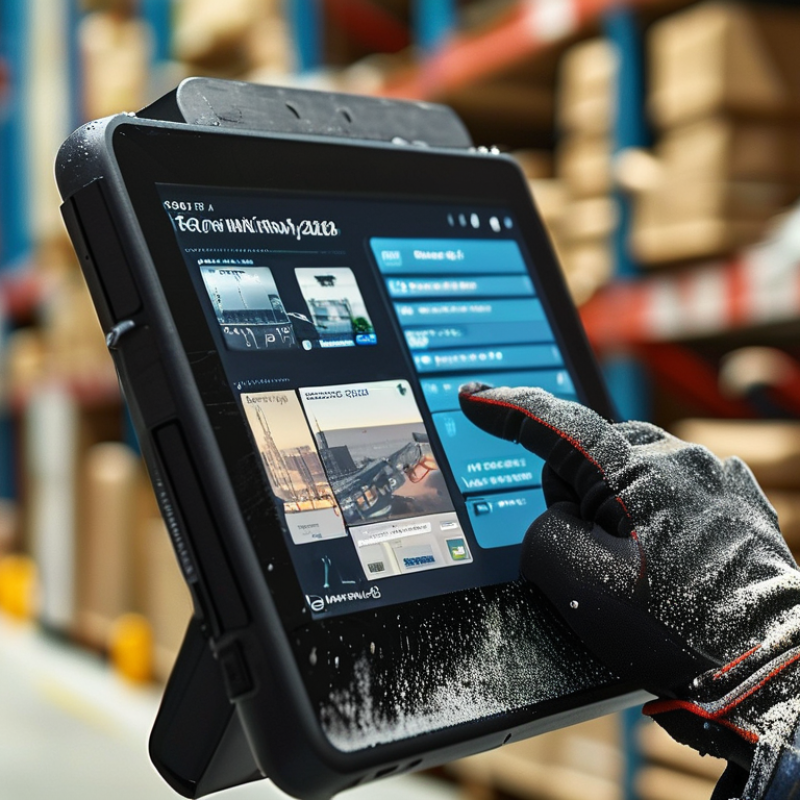
In 2026, IDC’s projected 1.24 billion smartphone shipments will anchor global touch screen demand. Smartphones remain the most familiar interactive device, from retail counters to remote workspaces. Buyers often compare screen brightness, touch accuracy, battery endurance, and regional network compatibility. A display that works poorly under sunlight creates immediate operational friction.
The wider device taxonomy includes tablets, self-service kiosks, vehicle panels, industrial terminals, and smart payment interfaces. Each category serves a different environment. Tablet buyers may prioritize low weight and stylus response. Kiosk operators need stronger glass, easy cleaning, and reliable touch performance during heavy daily use. Industrial teams should test glove operation, moisture resistance, viewing angles, and screen latency before placing large orders.
Small details matter.
During field evaluations, a screen can respond perfectly in a showroom but fail with wet fingers or protective film. That gap deserves attention. Procurement teams should request sample units, review repair procedures, and verify software support periods. Certifications and documented quality controls also strengthen supplier reliability. Still, battery aging, recycled materials, and long-term parts availability are sometimes treated as secondary concerns. They should not be. A lower purchase price may hide frequent replacements, inconsistent calibration, or avoidable downtime.
| Device Type | Typical Display Size | Primary Touch Interface | Common Deployment Environment | Core Buyer Requirements | 2026 Demand Role | Relevant Technical Criteria |
|---|---|---|---|---|---|---|
| Smartphones | Approximately 4.7–7 inches | Projected-capacitive multi-touch | Consumer mobility, field work, communications and digital services | High brightness, low power consumption, scratch resistance, strong touch sensitivity and cellular connectivity | Anchor category IDC’s referenced 2026 shipment forecast of 1.24 billion units makes smartphones the largest volume driver for touch-enabled devices. | Cover-glass strength, outdoor readability, glove compatibility, display refresh rate, water resistance and long-term component availability |
| Tablets | Approximately 7–14 inches | Projected-capacitive multi-touch, often with active-pen support | Education, hospitality, healthcare, retail and home entertainment | Light weight, durable enclosure, long battery life, wide viewing angles and easy device management | High-volume adjacent category Demand is supported by mobile productivity, digital learning and shared-service applications. | Pen accuracy, palm rejection, drop resistance, antimicrobial surface options, charging-cycle life and operating-system compatibility |
| Touchscreen Laptops and 2-in-1 PCs | Approximately 11–17 inches | Projected-capacitive multi-touch with optional stylus input | Office work, creative production, education and mobile productivity | Low input latency, hinge durability, precise pen performance, high resolution and efficient thermal design | Productivity-led growth Touch capability is increasingly used where keyboard, trackpad and direct screen interaction must coexist. | Digitizer integration, anti-glare treatment, hinge-cycle testing, palm rejection, color accuracy and energy efficiency |
| Smartwatches and Wearable Displays | Approximately 1–2 inches | Projected-capacitive touch, crown or button-assisted navigation | Personal health, fitness, notifications and contactless services | Low power consumption, sunlight readability, compact sensors, water resistance and reliable touch through light moisture | Fast-growing niche Touch demand is linked to health monitoring, short-form notifications and hands-free mobile use. | Optical bonding, low-power display modes, sweat and water tolerance, small-form-factor reliability and biometric sensor integration |
| Automotive Touch Displays | Approximately 7–17 inches per display zone | Projected-capacitive touch with physical controls or haptic feedback | Instrument clusters, center consoles, rear-seat entertainment and vehicle controls | Wide temperature tolerance, optical clarity, low reflection, vibration resistance and safe operation while driving | Long-cycle OEM demand Vehicle electrification and software-defined interiors are expanding the number of in-cabin touch interfaces. | Automotive-grade qualification, sunlight performance, dielectric-glove operation, electromagnetic compatibility and extended service life |
| Point-of-Sale and Payment Terminals | Approximately 3–15 inches | Projected-capacitive or resistive touch, depending on enclosure and glove use | Retail counters, restaurants, transport hubs and mobile commerce | Fast response, tamper-resistant construction, easy cleaning, payment-security integration and continuous-duty reliability | High replacement demand Cashless payments, self-service checkout and distributed retail operations sustain demand for compact touch terminals. | EMV-compatible integration, chemical resistance, privacy filtering, secure enclosures, thermal management and serviceability |
| Self-Service Kiosks | Approximately 10–32 inches | Projected-capacitive multi-touch or infrared touch for larger formats | Airports, hospitals, hotels, retail stores and public services | High uptime, vandal resistance, accessibility, easy sanitation and visibility in bright indoor environments | Deployment expansion Labor-saving automation and multilingual self-service applications continue to broaden kiosk use. | Impact-resistant cover glass, thermal control, accessibility height, high-touch-cycle endurance and remote monitoring |
| Industrial Human-Machine Interfaces | Approximately 4–24 inches | Projected-capacitive, resistive or infrared touch | Factories, warehouses, utilities and process-control environments | Operation with gloves, resistance to dust and liquids, wide temperature range and long product availability | Mission-critical demand Industrial digitization and connected equipment require durable touch interfaces for monitoring and control. | IP-rated sealing, shock and vibration resistance, glove touch, anti-glare coatings, industrial communication support and panel-mount options |
| Medical Touchscreen Devices | Approximately 5–27 inches | Projected-capacitive or resistive touch with clinical-use surface options | Patient monitoring, diagnostic equipment, medical carts and clinical workstations | Easy disinfection, accurate input, low noise, reliable operation and compatibility with regulated equipment systems | Regulated growth segment Healthcare digitization increases demand for cleanable and dependable touch interfaces. | Disinfectant resistance, sealed edges, medical electrical-safety requirements, antimicrobial options and glove usability |
| Interactive Education and Meeting Displays | Approximately 55–86 inches | Infrared multi-touch or projected-capacitive touch | Classrooms, training rooms, conference spaces and collaborative workplaces | Large viewing area, multi-user touch, low writing latency, strong speakers and easy wireless content sharing | Project-based demand Hybrid learning and collaboration programs support purchases of large-format interactive displays. | Touch-point count, optical bonding, anti-glare glass, pen tracking, wall-mount safety and continuous-use thermal design |