
Stecker Machine Blog

Why Choose a Fingerprint Smart Lock for Your Business?

A business key can disappear quietly. A shared PIN can travel farther than intended. For offices, clinics, warehouses, and rental properties, managing who enters each door is a daily operational task—not just a security concern.

Verizon’s 2024 Data Breach Investigations Report analyzed 10,626 confirmed breaches and found that 68% involved a non-malicious human element, such as mistakes or social engineering. This does not mean a fingerprint lock prevents data breaches. It does underline why clear access procedures matter. NIST’s Digital Identity Guidelines also treat biometrics as one part of authentication, rather than a standalone secret. That guidance concerns digital identity, not commercial door-lock certification, but it offers a useful design principle: biometrics work best alongside sound controls.

A Fingerprint smart lock can make routine entry simpler by linking access to enrolled users instead of easily shared keys or codes. Managers may be able to add or remove access when staff roles change, while entry records can help clarify who used a door and when. Yet convenience is not the whole story. Wet hands, worn fingerprints, sensor placement, power loss, and rushed enrollment can all affect the experience. A fingerprint can fail at the worst moment.

Choosing a system therefore means checking more than its advertised speed. Review its backup entry method, user-management features, data-handling practices, durability, and support. Match those details to the doors, staff routines, and privacy needs of your business. The right choice is practical, but never automatic.
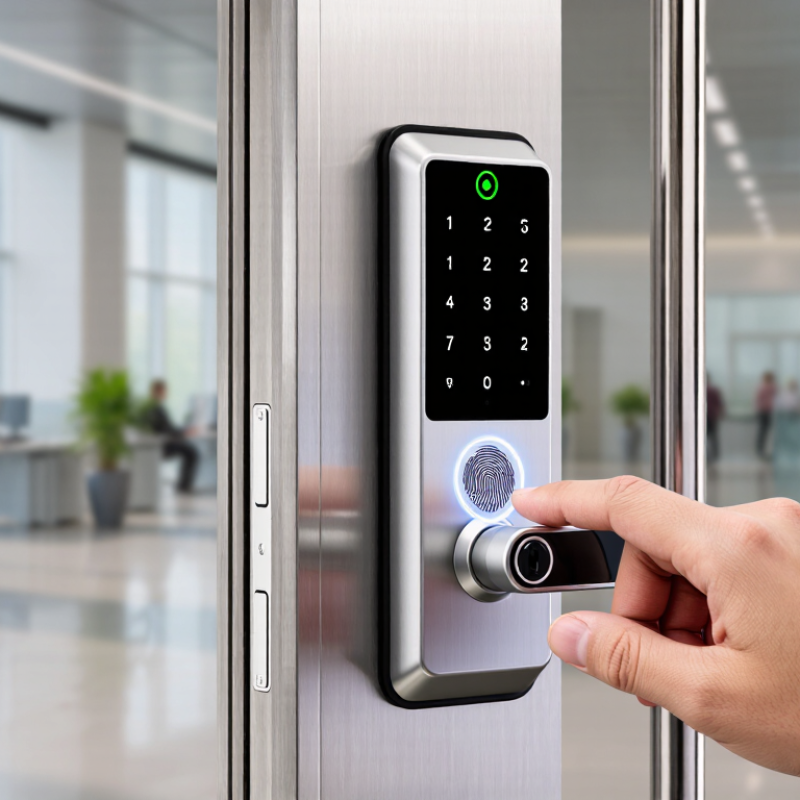
Why Choose a Fingerprint Smart Lock for Your Business?

Fingerprint Smart Locks Defined: Sensors, Templates, and Door Controllers

A fingerprint smart lock turns a person’s touch into an access decision. During enrollment, a sensor reads ridge patterns from a finger. It converts selected features into a digital template, rather than relying on a password someone can forget. Sensor quality matters. Dust, moisture, worn skin, or a rushed touch can affect a reading. Small detail, real impact.

At the door, the sensor compares a fresh scan with enrolled templates. A door controller then checks the result and signals the lock to open or stay secured. The exact design varies: some systems keep matching data within the lock, while others use a connected controller. Businesses should ask where templates are stored, how access is removed when staff leave, and what happens during a power or network failure. These details are easy to overlook.

In daily use, clear enrollment instructions and a clean reader can reduce failed scans. A side entrance exposed to rain may need different planning from a dry office lobby. Keep a suitable backup entry method for people whose fingerprints cannot be read consistently. Fingerprints are convenient, but not infallible. I would also test the lock during busy arrival periods; a device that works in a quiet demonstration may slow a queue at 8 a.m. A practical setup balances quick entry with careful control of who can enter.

How Enrollment and Matching Turn a Fingerprint into an Access Decision

Why Choose a Fingerprint Smart Lock for Your Business?

Enrollment turns a finger into a reference, not a photograph to check by eye. During setup, the sensor captures ridge details and converts them into a digital template. Staff may need to place the same finger several times. Slight changes in angle help the system record useful features. Clean, dry skin usually gives the sensor a clearer reading. That sounds simple. Real hands are less tidy.

When someone requests entry, the sensor reads the presented finger and compares its features with enrolled templates. A match score is measured against a set threshold. If it meets that threshold, the lock can grant access according to configured permissions. A fingerprint does not decide who may enter on its own; the access rules do. A manager might permit a staff member at the side door during a scheduled shift, while restricting other doors.

Matching is not perfect. Cuts, worn ridges, moisture, or a rushed touch can cause a failed read. Businesses should test enrollment with the people who will actually use the lock and keep a practical backup method available. It is also worth asking how templates are protected, who can manage them, and how access records are handled. Biometric convenience is useful, but it deserves careful setup.

Business Benefits: Individual Credentials, Faster Entry, and Audit Trails

For a business, a fingerprint smart lock can make access more personal and manageable. Each employee uses an enrolled fingerprint instead of sharing one code or carrying a key. When a staff member changes roles or leaves, an administrator can remove that credential without replacing every key. This can reduce handover confusion. It is not foolproof, though; wet or dusty fingers may need another entry option.

Faster entry helps at busy moments, such as a delivery worker waiting at a side door or a team opening before customers arrive. A quick touch can prevent queues and keep hands free for boxes or tools. Audit trails add visibility. Depending on the lock, records may show which credential opened a door and when. Managers can review unusual access times, but logs should be checked against schedules and visitor records. They are not the whole story. Access data also needs careful handling.

Tips: Enroll each person separately, test the reader with clean and slightly damp fingers, and keep a backup method available. Review permissions regularly. Small checks matter. Assign one trained person to manage access and document changes. Fingerprint matching can occasionally fail, so staff should know the backup procedure without propping a door open.

Why Choose a Fingerprint Smart Lock for Your Business? — Business Benefits: Individual Credentials, Faster Entry, and Audit Trails

Business dimension What the system can record or support Practical business benefit Operational consideration
Individual credentials A fingerprint credential can be assigned to an authorized user, subject to the lock’s user-management features. Access can be managed by person rather than relying only on a shared physical key or common code. Set a process for enrollment, permission changes, and removing credentials when access is no longer needed.
Faster entry Authorized users can unlock with a fingerprint instead of locating and inserting a key or entering a code. May make routine entry more convenient, especially for staff who access a door frequently. Actual entry time depends on the device, installation, user familiarity, and fingerprint-reading conditions.
Audit trails Some systems log events such as successful or denied entry, time, and the associated credential or user. Event records can help administrators review access activity and investigate reported access issues. Logging availability, detail, storage duration, and export options vary; confirm these before purchase.
Permission changes Depending on the system, administrators may add, edit, or revoke user credentials at the lock or through management software. A lost key may not need to trigger a physical lock change if access can be revoked electronically. Remote management requires compatible connectivity and should be tested as part of the access-control plan.
Access schedules Certain smart-lock systems allow access permissions to be limited by schedule or user group. Time-based rules can help align door access with work shifts or business hours. Scheduling features are not universal; verify supported rules and how they behave during network or power interruptions.
Fallback access Many models provide a backup method, such as a key, PIN, or external power option; available methods vary. A documented fallback can help maintain access if a fingerprint is not recognized or the lock’s power is depleted. Keep backup procedures secure, accessible to responsible staff, and consistent with site security policy.
Privacy and security Biometric handling and event-log controls depend on the product’s design, settings, and data practices. Clear policies can help organizations manage sensitive access data responsibly. Review how biometric data is stored, protected, retained, and deleted, and check applicable privacy requirements.

Note: Features differ by lock and management system. Confirm credential capacity, event logging, connectivity, backup access, and biometric-data practices for the specific installation.

NIST Benchmark: Biometric FMR ≤1:1,000 and FNMR <5%

Why Choose a Fingerprint Smart Lock for Your Business?

NIST Benchmark: Biometric FMR ≤1:1,000 and FNMR <5%

A fingerprint lock can make daily entry simpler for staff carrying boxes, tools, or coffee. But convenience matters only when the system’s error rates are understood. NIST SP 800-63B Revision 3 gives biometric authentication a false match rate (FMR) target of 1 in 1,000 or better, with a false non-match rate (FNMR) below 5%. These figures offer a useful performance reference, not a blanket certification for every commercial lock.

FMR describes how often an unauthorized sample may be accepted; FNMR describes how often a legitimate user may be rejected. At a busy entrance, a low FNMR can mean fewer delays for staff with clean, dry fingers. Still, test conditions matter. Dust, worn fingerprints, sensor placement, and enrollment quality can change real-world results. An FMR of 1 in 1,000 also does not mean exactly one intruder enters for every thousand attempts.

NIST’s MINEX III report evaluates interoperability between fingerprint template formats and matching systems, highlighting another practical issue: compatible components matter. When comparing locks, ask for independent test results, the tested threshold, and details about enrollment and fallback access. A keypad backup may prevent a lockout, though it adds another credential to manage. The benchmark is useful, but a hallway is not a laboratory. That distinction deserves attention.

Deployment Essentials: Privacy, Fallback Access, and Maintenance

Why Choose a Fingerprint Smart Lock for Your Business?

Deployment Essentials: Privacy, Fallback Access, and Maintenance

A fingerprint smart lock can simplify entry for staff who need frequent access, but deployment takes more than mounting hardware beside a door. Decide who may enroll fingerprints, who can remove access, and how long access records should remain available. Collect only the data your operation needs, and explain the process clearly to employees. Privacy deserves attention before the first scan, not after a concern arises. Test the lock on the actual door; a misaligned latch can make even a good reader frustrating.

Plan for the moments when fingerprints fail. Wet, dusty, or worn fingers may not scan reliably, and batteries can run low during a busy shift. Keep a controlled backup method, such as a secure mechanical key or authorized secondary credential. Limit who holds it, and document how staff request access when the reader rejects them. A fallback that nobody can find is not a fallback. That detail is easy to overlook.

Tips: Test backup entry during a quiet shift, then repeat with the door closed. Check battery alerts, clean the sensor with a soft cloth, and review access permissions when roles change. Keep a simple maintenance log. It may feel tedious, but missed checks tend to show up at the worst time.

Article Source: